Guide
Cromon Quest on mobile
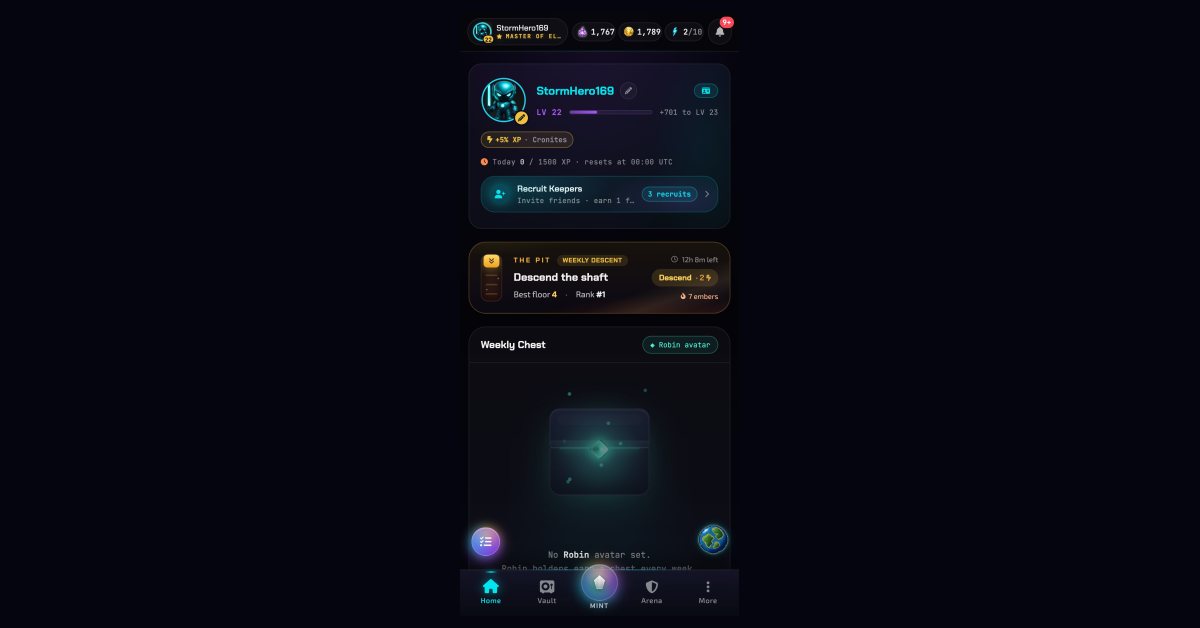
There is no Cromon Quest app on the App Store or Google Play, and you do not need one: the game runs in the phone's browser at quest.cromon.fun, on Android and on iPhone, with every mode of the desktop version. It can be installed to the home screen as a web app, which opens it full-screen with its own icon and enables push notifications for expedition returns, World Boss spawns and referral rewards. A mobile wallet connects in a tap: either open the site inside your wallet's built-in browser (Crypto.com Onchain, MetaMask) or use WalletConnect from the regular browser. Nothing is downloaded from a store, nothing is installed from a file, and the account is the same wallet whether you play on a phone or a desktop. Free to start: three starter Cromons are granted on connect.
Is there an Android or iPhone app?
No, and that is a deliberate choice rather than a gap. A Web3 game in a store would have to route wallet connections and NFT purchases through the store's rules and its cut; a browser game connects to your own wallet directly and takes no such cut. It also means there is nothing to update: you always play the current version, on the day it ships, which the changelog records release by release. If a store ever lists a "Cromon Quest" app, it is not ours.
How do I install it on my home screen?
Cromon Quest is a progressive web app, so the browser can pin it like a native one. On Android, Chrome shows an install prompt and the game itself offers an "Install" card on the dashboard: tap it, confirm, and the icon lands on your home screen. On iPhone, Safari has no prompt, so the card explains the two taps instead: Share, then Add to Home Screen. Either way the result is the same: a full-screen window in portrait, no browser bar, its own icon, and a launch that goes straight to your dashboard.
Installing is optional. A plain browser tab plays exactly the same game; the install adds the icon, the full-screen layout and the notifications, nothing else.
Which wallets work on a phone?
Any wallet that speaks WalletConnect or ships its own browser. The two common paths:
- From inside the wallet. Crypto.com Onchain and MetaMask both include a browser. Open quest.cromon.fun in it, tap Play now, and the wallet is already there: the login signature appears as a native sheet, no pairing needed.
- From Chrome or Safari. Tap Play now, choose your wallet in the picker, and WalletConnect hands you over to the wallet app for the signature, then back to the game.
The login is a signed message, not a transaction, so it costs nothing and works without any CRO in the wallet. CRO only matters when you open a Rift on the mint page, and a phone wallet handles that prompt like any other.
Which modes suit a phone session?
All of them run, but three were shaped for short sessions. An Expedition takes ten seconds to send and returns on its own, hours later, with a notification. The Deeps keep digging whether the phone is in your pocket or not, and collecting is one tap. A World Boss raid is 3 attacks, each a single fight, with one attack back every 6 hours, which fits a commute better than a desk.
The daily Shadow Run works on a phone too, and its energy (500 at the cap, 40 back per hour) does not care where you play it, but a maze rewards attention: it is the mode to open when you have a quarter of an hour, not a red light.
Do I keep the same account on desktop and mobile?
Yes, because the account is the wallet. Connect the same address on a laptop and a phone and you see the same Keeper name, the same collection, the same Kindlekin and the same Cromy if you have hatched one. Minted Cromons live in that wallet, not on a device, so there is nothing to sync and nothing to lose when you change phones: reconnect, and it is all there.
Open it on your phone
Free to start: connect your wallet and receive three starter Cromons. The address is the same everywhere: quest.cromon.fun.